Make the shared canvas feel easy.
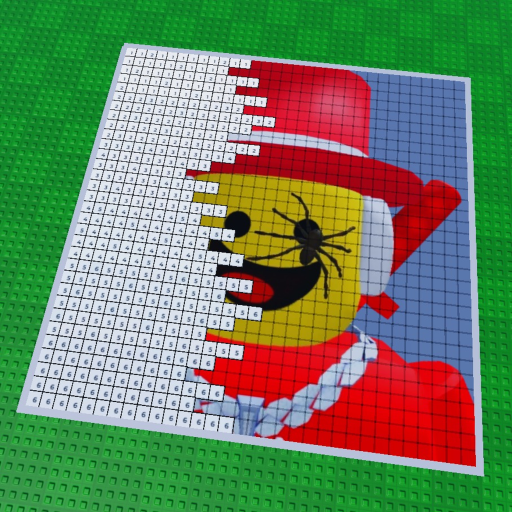
Paint your Friends! is a good fit for a low-pressure group session: choose one icon, claim a plot, paint alongside other players in real time, and share what you made.
Quick answer
This Paint your Friends how to play guide also covers Paint your Friends multiplayer: agree on one friend or celebrity icon, join the same official Roblox experience, claim a plot, and decide how you will coordinate colors or areas. The public server maximum is 7 players, so keep the group small enough to stay present in the canvas.
One subject beats five half-finished ideas.
The game’s social promise is not a competitive squad build. It is the pleasure of making a picture beside other people. Choose a subject everybody recognizes, then let the group decide whether to share colors, take turns, or simply paint nearby.
- One clear icon
- One plot or shared area
- One relaxed completion goal
Keep the room readable.
The Paint your Friends server size is 7 players at the public metadata ceiling.
- Public maximum7 players
- Game typeParty & Casual
- Shared actionPaint in real time
- FinishShare your creation
A friend session that stays on track.
Agree on the subject
Choose the friend or celebrity icon before everyone starts so the session has one shared visual goal.
Join the same Roblox experience
Use the official game page, then make sure everyone is in Paint your Friends! rather than a similarly named experience.
Claim a plot together
The public description tells players to claim a plot. Pick a clear space and decide how the group will divide attention.
Paint alongside each other
The game is described as real-time painting beside other players. Talk through colors, keep the pace comfortable, and let the image emerge.
Share the result
When the canvas is finished, share the creation and save a screenshot as a simple backup of the group moment.
Avoid the usual group friction.
- Using several unrelated images and losing the shared goal.
- Planning for more people than the public server maximum.
- Racing for a made-up reward, currency, or completion time.
- Opening an unofficial login or “join” link instead of Roblox.
Reset the session in thirty seconds.
Name the subject again, identify the plot, and ask each player to describe the next visible block. If someone cannot find the experience, send the official Roblox page ↗ rather than a shortened community URL.
Keep the group moving.
Friend-session questions
How many players can share a server?
The public Roblox metadata lists a maximum of 7 players. Use that as the planning ceiling, not a promise that every session needs eight people.
What should a friend group decide first?
Pick one subject and one simple goal, such as finishing a small icon together. A shared target reduces confusion on the canvas.
Can everyone paint at the same time?
The public description says players can paint alongside other players in real time. It does not publish detailed ownership rules for each block, so coordinate in the room.
What if our group cannot find the same game?
Return to the official Roblox game page, confirm the title, and use Roblox's own join flow. Avoid third-party links that ask for account details.
Related home FAQ
For broader game questions, see the Paint your Friends! home guide and its official snapshot.