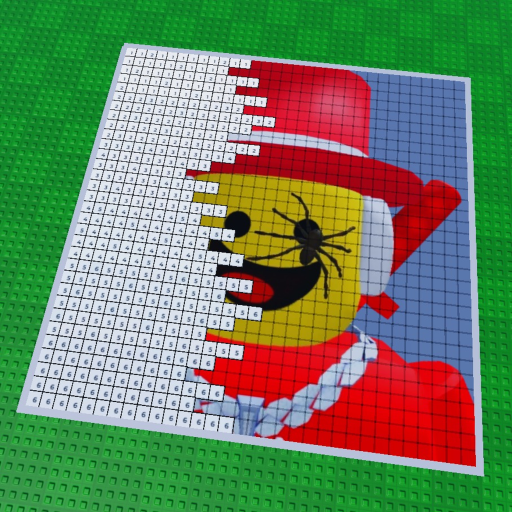
Pause on the finished image
Give the canvas a moment and confirm the result looks the way your group expects.
The public Roblox description says your paintings save automatically. Here is what that statement gives players—and what it does not tell us.
Paint your Friends! publicly promises automatic saving for paintings. It does not publish a timing interval or recovery guarantee, so finish a session cleanly and keep a screenshot of art you care about.
Automatic saving is part of the game’s public description. That is useful because it tells a player the painting is meant to persist beyond the moment of a single brush action. It supports a relaxed creative loop: claim a plot, work through the numbered blocks, and share the finished image without treating every pause as a reset.
It is important not to stretch that sentence into details the public record does not provide. We do not have an official save interval, a list of recovery states, a guarantee for a disconnected session, or a documented process for restoring a damaged canvas. Those details belong to the game creator and Roblox experience, not to a fan page.
When a painting is finished, take a screenshot or save a personal copy of the moment you want to remember. This is not a claim that automatic saving fails; it is simply a useful habit whenever a creative work matters. If you are painting with friends, agree on when the group considers the piece complete before leaving the server.
If something looks wrong, return to the official experience and use Roblox’s own support paths. Do not give account credentials to a third-party “recovery” page, code form, or community link.
Give the canvas a moment and confirm the result looks the way your group expects.
The public description names sharing as part of the experience, so treat it as the natural end of a session.
Back up a favorite piece personally because no public save interval is documented.
The painting guide turns the public description into an ordered first-session path.
Read the guideThis fan site cannot inspect accounts or restore art. Use the official game page ↗ for the experience and Roblox-side help.
The public Roblox description says paintings save automatically.
The checked public description does not publish a save interval, delay, or recovery window.
Yes. A screenshot is a simple personal backup for finished art you especially care about.
No. This fan-made site has no Roblox account access and cannot inspect or restore player data.